PRO AUDIO TOOLKIT  //  iOS 16.2+

See the sound.
Tame the room.

A full measurement suite for live sound engineers — spectrum analyzer, chromatic tuner, oscilloscope, loudness meter, test-signal generator and RT60 reverberation analysis. One black screen, built for the stage.

Download on the
App Store
On the App Store · iOS 16.2+ · iPhone & iPad
6instruments
50 Hz–16 kHzreal-time FFT
LUFSBS.1770 metering
RT60octave bands
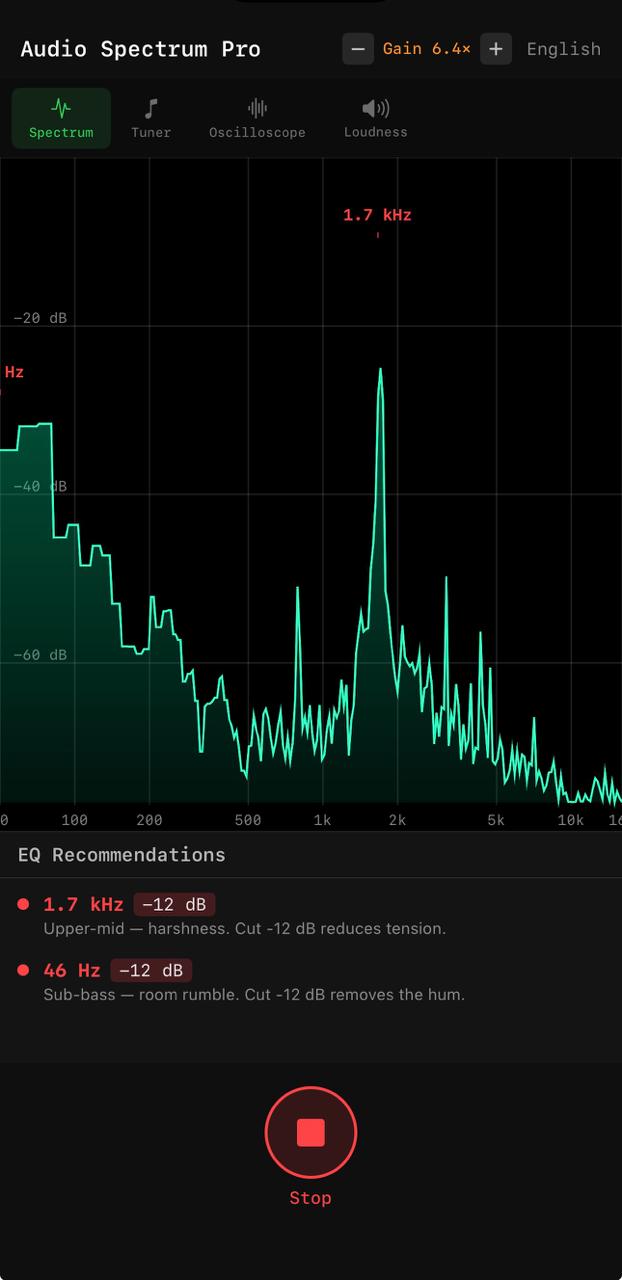
Audio Spectrum Pro spectrum analyzer with EQ recommendations
501002505001k2k5k10k16k
The toolkit

One iPhone. A full measurement rack.

Six instruments a live engineer actually reaches for — each tuned for the stage, the monitor world, and the room.

01 · Spectrum analyzer

Find the problem frequency before it finds you.

Real-time spectrum from 50 Hz to 16 kHz on a logarithmic scale. Automatic peak detection highlights trouble instantly, and the EQ Suggestions panel tells you which band to cut — and by how many dB — before feedback ever happens. Tap HOLD to freeze the peak trace and catch resonances that only flash for a moment.

  • 50 Hz – 16 kHz logarithmic, real-time FFT
  • Auto peak detection + peak-hold trace
  • EQ Suggestions — band & cut in decibels
Spectrum analyzer with EQ recommendations
02 · Chromatic tuner

Locks onto the fundamental — even on a low B.

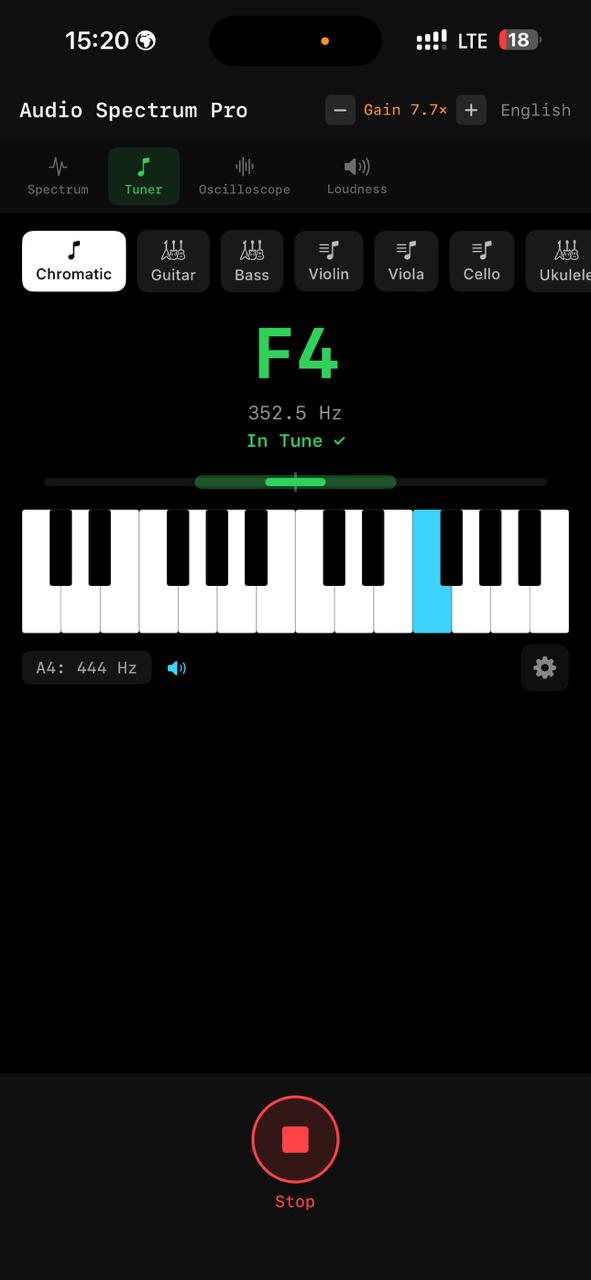
A time-domain YIN detection engine tracks pitch where FFT tuners jump an octave, so bass and low guitar strings read true instead of snapping to a harmonic. Presets for guitar, bass, violin, viola, cello, ukulele, mandolin, banjo and a full chromatic mode — plus adjustable A4 reference, capo support and a noise gate that rejects bleed from the PA.

  • YIN engine — no octave errors on low strings
  • 9 instrument presets + chromatic
  • Adjustable A4, capo & noise gate
Chromatic tuner with piano keyboard
03 · Oscilloscope

The waveform, the moment it sounds wrong.

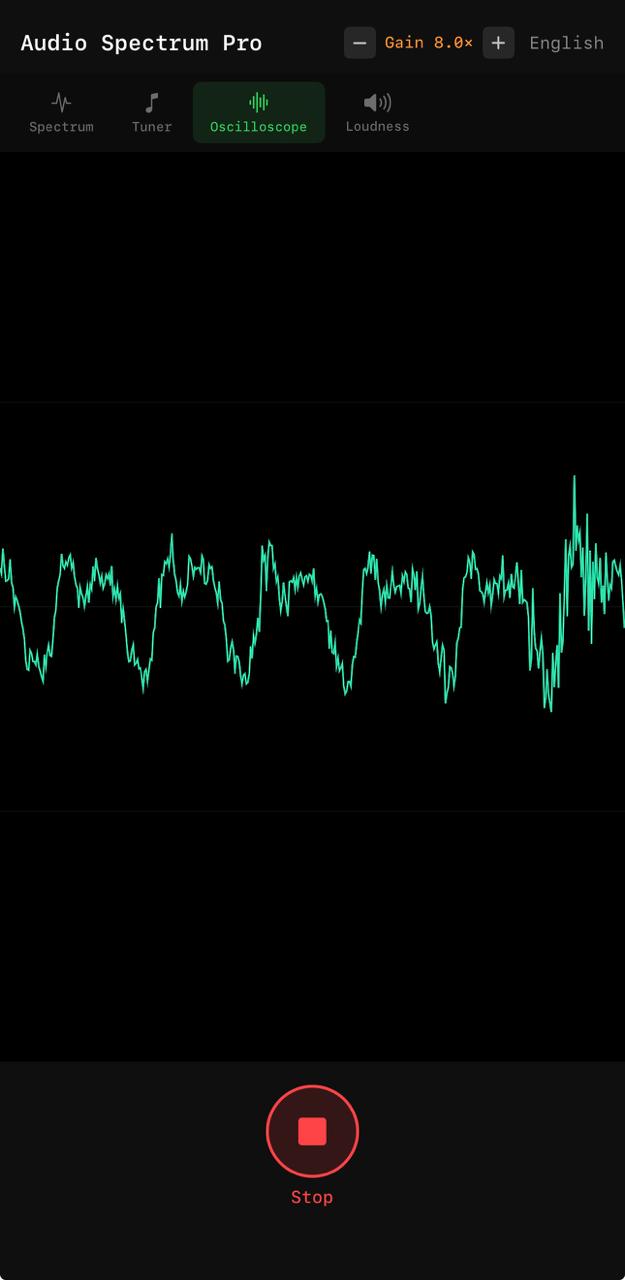
A real-time waveform display for signal-integrity checks, phase inspection and clipping detection. The first thing you reach for when a channel sounds off — see the shape of the signal, not just its level.

  • Live waveform rendering
  • Clipping & phase inspection
  • Signal-integrity at a glance
Oscilloscope waveform
04 · Loudness meter

Broadcast-standard LUFS, not just a level bar.

Momentary, short-term and gated integrated loudness to ITU-R BS.1770 — the same LUFS scale streaming and broadcast are graded on — alongside an oversampled True Peak in dBTP that catches inter-sample peaks a plain sample meter misses. A scrolling history keeps the trend in view.

  • LUFS M / S / I — ITU-R BS.1770 K-weighted
  • True Peak (dBTP) — 4× oversampled
  • Scrolling history of momentary loudness
MOMENTARY−18.0 LUFS
SHORT-TERM−20.0 LUFS
INTEGRATED−23.0 LUFS
TRUE PEAK−1.0 dBTP
HISTORYM · LUFS
05 · Test-signal generator

Pink, white, sweep or tone — through the speaker, while the mic listens.

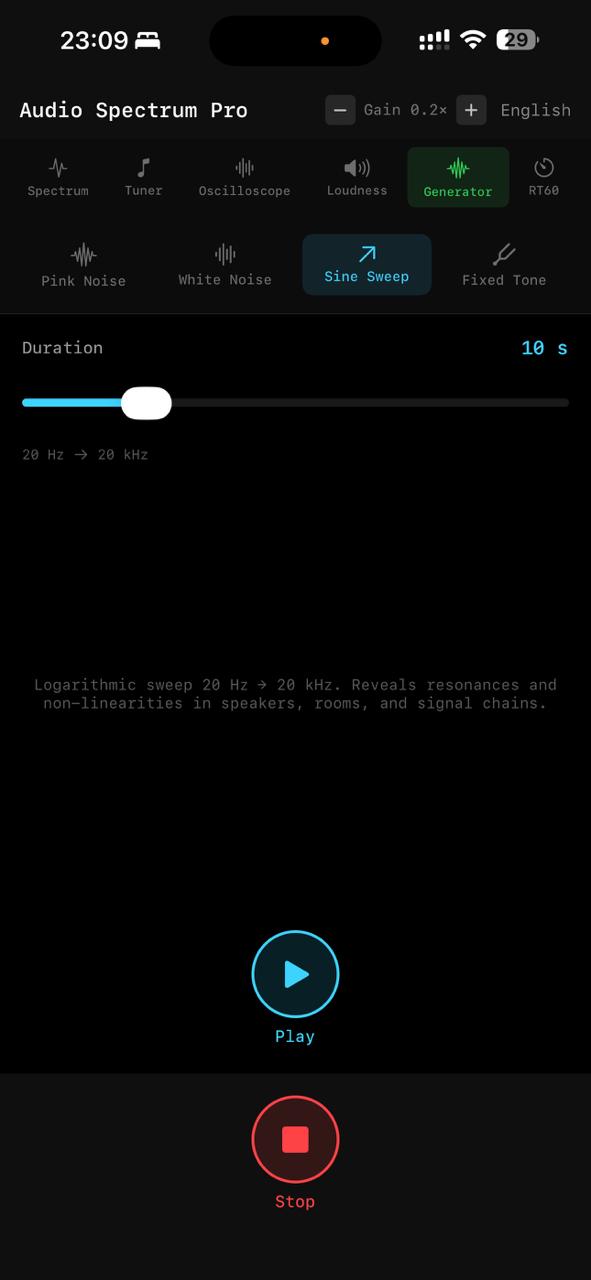
Pink noise, white noise, a logarithmic sine sweep (20 Hz → 20 kHz) or a fixed tone from 50 Hz to 8 kHz. Play out loud while the analyzer keeps measuring — tune PA systems, ring out monitor wedges and find room resonances without a separate generator.

  • Pink / white noise
  • Log sine sweep 20 Hz → 20 kHz
  • Fixed tone 50 Hz – 8 kHz
Test-signal generator, sine sweep
06 · RT60 reverberation

Size up a room's acoustics in seconds.

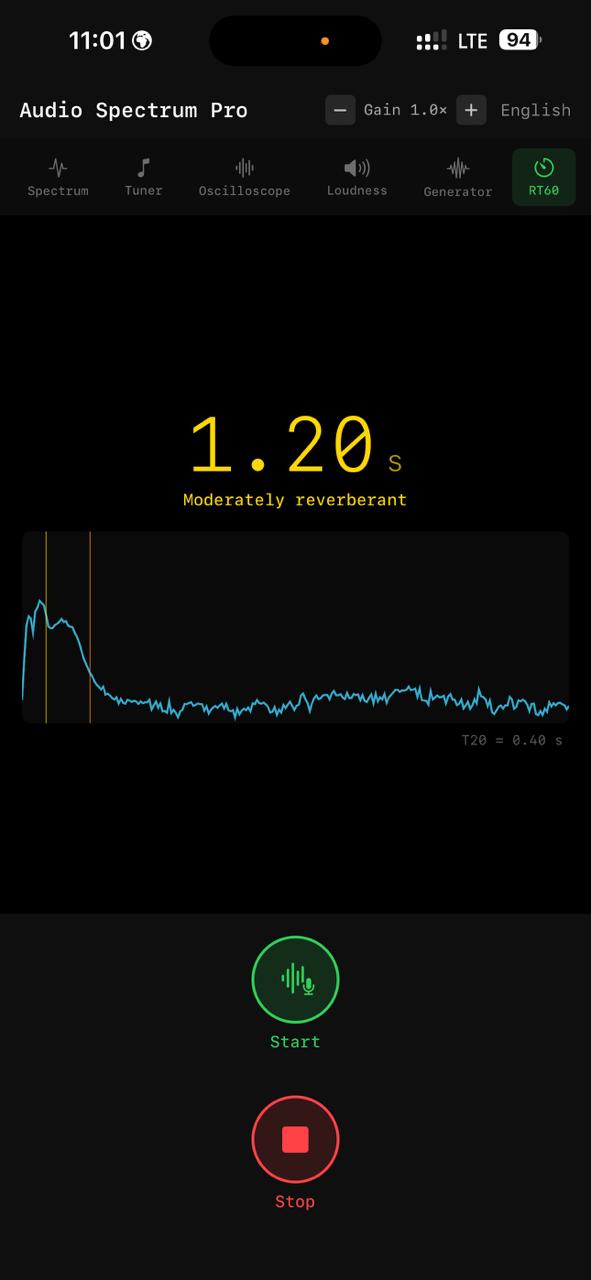
Tap start, make an impulse — a clap, a click, or a sine sweep — and the app records the decay, computes T20 and extrapolates RT60. A per-octave breakdown from 250 Hz to 4 kHz shows how the room behaves band by band, the way acousticians actually report it.

  • Impulse capture — clap, click or sweep
  • Octave bands 250 Hz – 4 kHz + broadband
  • Plain-language verdict (dry → reverberant)
RT60 reverberation decay curve
Built for the field

Designed for the moment the show starts.

Gain

Volume-button gain

Adjust mic gain with the hardware volume buttons — one hand, while the other stays on the console.

Dark

Stage-dark interface

Fully black UI that reads under stage lighting and never kills your night vision.

Land

Landscape ready

Lay it flat on the meter bridge or a side table — full landscape support.

i18n

Three languages

English, Russian and Ukrainian interface, switchable on the fly.

Share

Share any reading

Export the current screen as an image — hand a client the spectrum or hand a bandmate the RT60, straight from the share sheet.

Awake

Stays awake

The screen never sleeps mid-measurement, so a long RT60 capture or loudness watch runs uninterrupted.

Get it

The measurement rack that fits in a pocket.

No subscriptions, no accounts, no audio leaving your device. Just the instruments — ready when the room is.